
When OpenClaw Meets USB Peripherals: Let AI Truly “Get Hands-On” with Xiiaozet
OpenClaw can control browsers, write code, and call APIs… but what happens when it needs to print a document, read data from a USB drive, or use a hardware dongle? Xiiaozet Virtual USB is the key that unlocks the physical world for AI.
🤔 AI’s “Last Mile” Problem: Physical Peripherals
OpenClaw can control browsers, write code, and call APIs — sounds all-powerful, right? But in real-world applications, there’s one category of tasks it simply can’t handle on its own:
- 🖨️ Need to print a contract → The printer is USB-connected to a different computer
- 💾 Need to read design files from a USB drive → The drive is plugged into an office desktop, but you’re working from home
- 🔒 Need a USB dongle for CAD software authorization → The dongle can only be physically plugged into one machine
- 📸 Need to scan paper documents → The scanner is on a different floor
- 🔬 Need to collect data from lab equipment → The device is USB-connected and on a different network
All these scenarios share a common denominator: AI needs to access a physical USB device, but the device isn’t on the computer where AI is running. This is the “last mile” problem that AI agents face in the physical world.
⚠️ The problem with traditional solutions: VPN deployments are complex, hardware USB-over-IP devices are expensive, and OS-native network printing only supports specific device types. These solutions are either costly, incompatible, or tedious to configure.
🔑 Xiiaozet Virtual USB: AI’s Physical World Pass
Xiiaozet Virtual USB (Xiiaozet USB Device Sharing Manager) was built to solve exactly this pain point. Based on the standard USB/IP protocol, it can share physical USB devices over the network to any Windows computer — the remote system recognizes them as local USB devices, fully compatible with all device types.
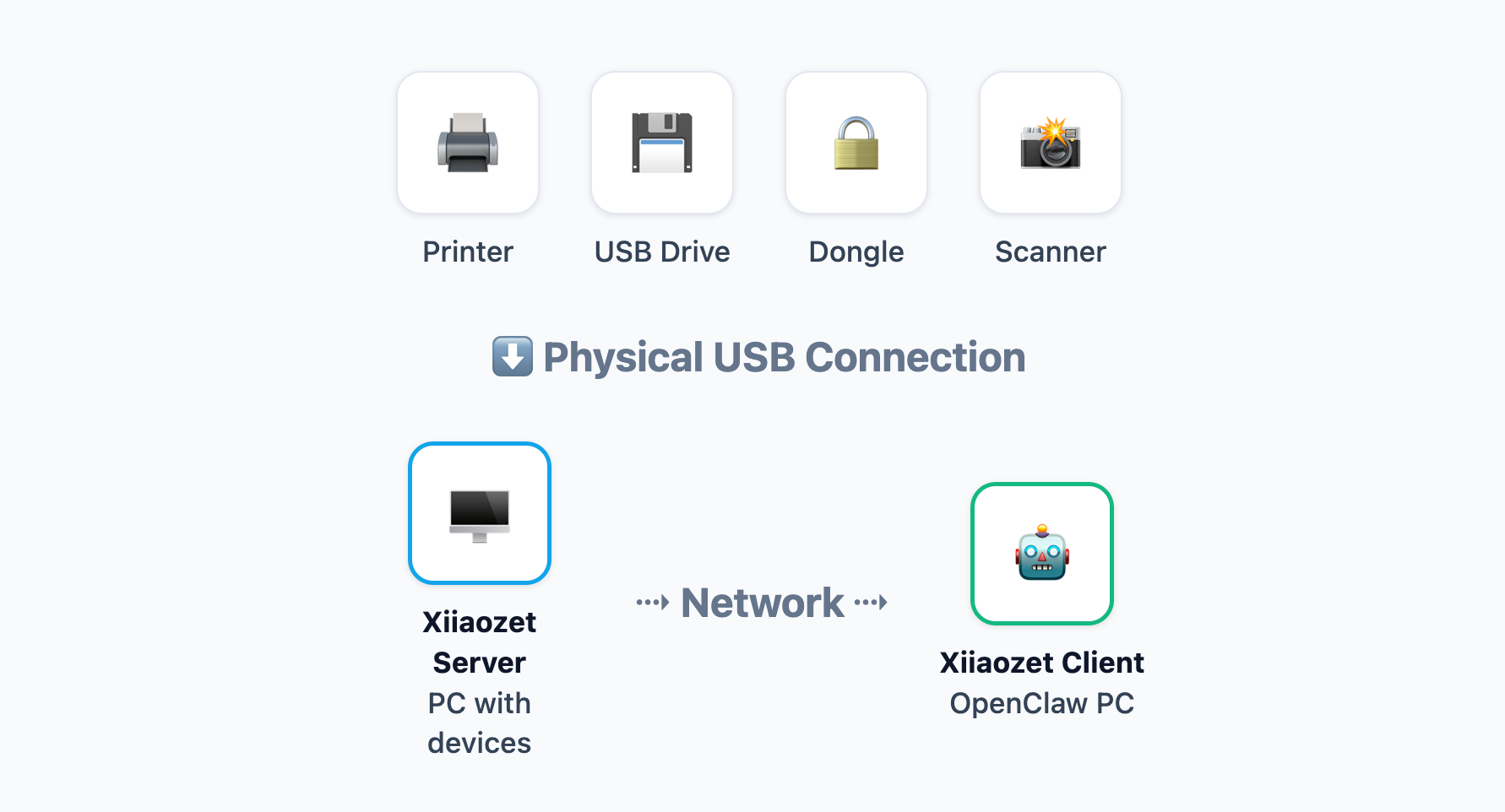
The logic of the entire solution is exceptionally clear and simple:
- Server Side: Install Xiiaozet Server on the computer with USB peripherals and share devices with one click.
- Client Side: Install Xiiaozet Client on the computer running OpenClaw to connect to the remote terminal and mount the USB devices.
- AI Access: Once mounted, the operating system automatically recognizes them as local hardware. OpenClaw can call the standard interfaces directly to use them.
🎯 Core Real-World Scenarios
AI Remote Printing
After OpenClaw generates a contract, it executes the print command directly through the mounted remote printer. No human intervention needed; AI handles the entire process from generation to printing.
Auto-Archive USB Drives
A client plugs a USB drive into the front desk computer. AI remotely detects the mount, scans and reads the files, and automatically categorizes and archives them to the enterprise cloud drive.
🔥 Enter the New Hardware Era for AI Agents
With just a simple three-step software deployment, you can completely bridge the gap between virtual AI and physical devices, empowering your OpenClaw with robust hardware driving capabilities!
![[Update] Upgrade Options for Legacy Devices](https://cdn.xiiaozet.net/wp-content/uploads/2026/02/ChatGPT-Image-Feb-3-2026-05_16_35-PM-768x512.png)