
Driver-Free Printing for Windows on ARM
Print from Windows on ARM computers and tablets without installing traditional printer drivers.
Includes a free 24-hour trial. No license required.
Need continued access? Get a 1-Year License.
Why Choose Lianke Cloud Print Driver?
Lianke Cloud Print Driver enables direct printing to a wide range of USB and network printers, helping you overcome missing or incompatible ARM printer drivers. It removes the dependency on model-specific local ARM drivers. Driver processing is handled through the cloud service, giving users a familiar Windows printing experience.
|
Comparison |
✅ Lianke Cloud Print (Driverless Solution) |
❗️Traditional ARM Solutions (Vendor Drivers) |
|---|---|---|
|
Driver Availability |
Universal Compatibility: Intelligent protocol parsing bypasses the need for manufacturer-built ARM drivers. |
Rarely Supported: Most manufacturers only provide x86/x64 drivers. ARM setups prompt “OS Not Supported” errors. |
|
Setup & Connection |
Instant Plug & Play: Auto-detects USB printers on plug-in; 1-click discovery for local network printers. |
Complex & Error-Prone: Requires manual IPP/port configuration, often failing with “Driver is unavailable”. |
|
All-in-One Scanning |
1-Click Network Scan: Automatically detects scanners on LAN; export directly to PDF or high-res images. |
Completely Disabled: Lacks ARM-compatible TWAIN/WIA drivers, rendering scanners on multifunction devices unusable. |
|
System Stability |
Native & Reliable: Tailored specifically for ARM architectures without altering native system core files. |
Prone to Crashes: Patchy workaround drivers trigger print spooler crashes, print queue locks, or BSODs. |
How It Works (3 Simple Steps)
Step 01 / Download & Install
Download and run the lightweight Lianke Cloud Print Driver installer on your Windows on ARM device.
Step 02 / Connect Your Printer
Plug in via USB or click “Search & Add” for network printers and scanners on your LAN.
Step 03 / Start Printing
Open Word, Excel, browser, or any office app, select the printer starting with the Lianke- prefix, and print.
Core Features
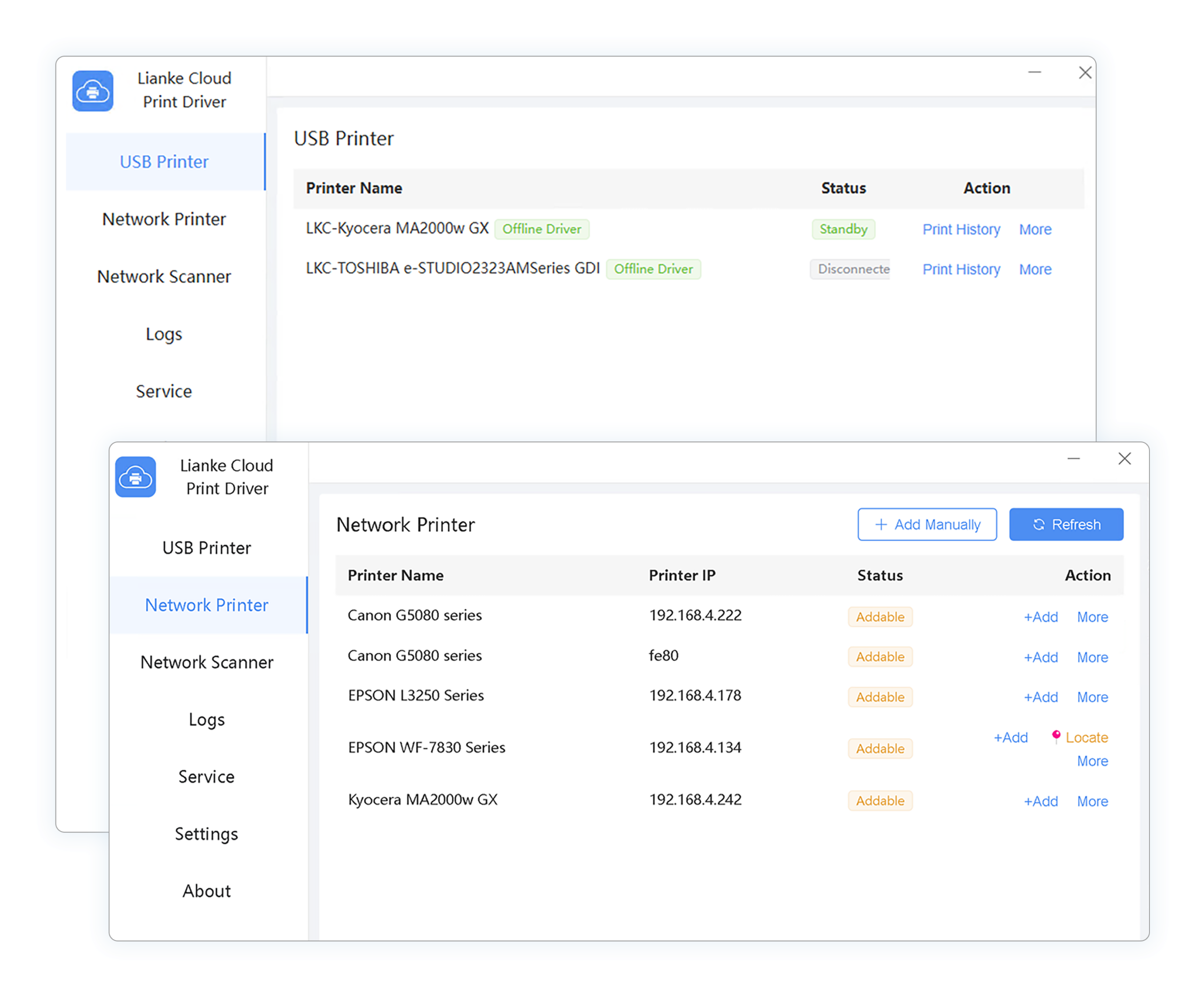
Plug & Play, Zero Driver Configuration
- USB Printers: Plug in your USB cable and start printing immediately without downloading, or unzipping driver packages.
- Network Printers: Automatically discover and add network-shared printers within the same LAN with a single click.
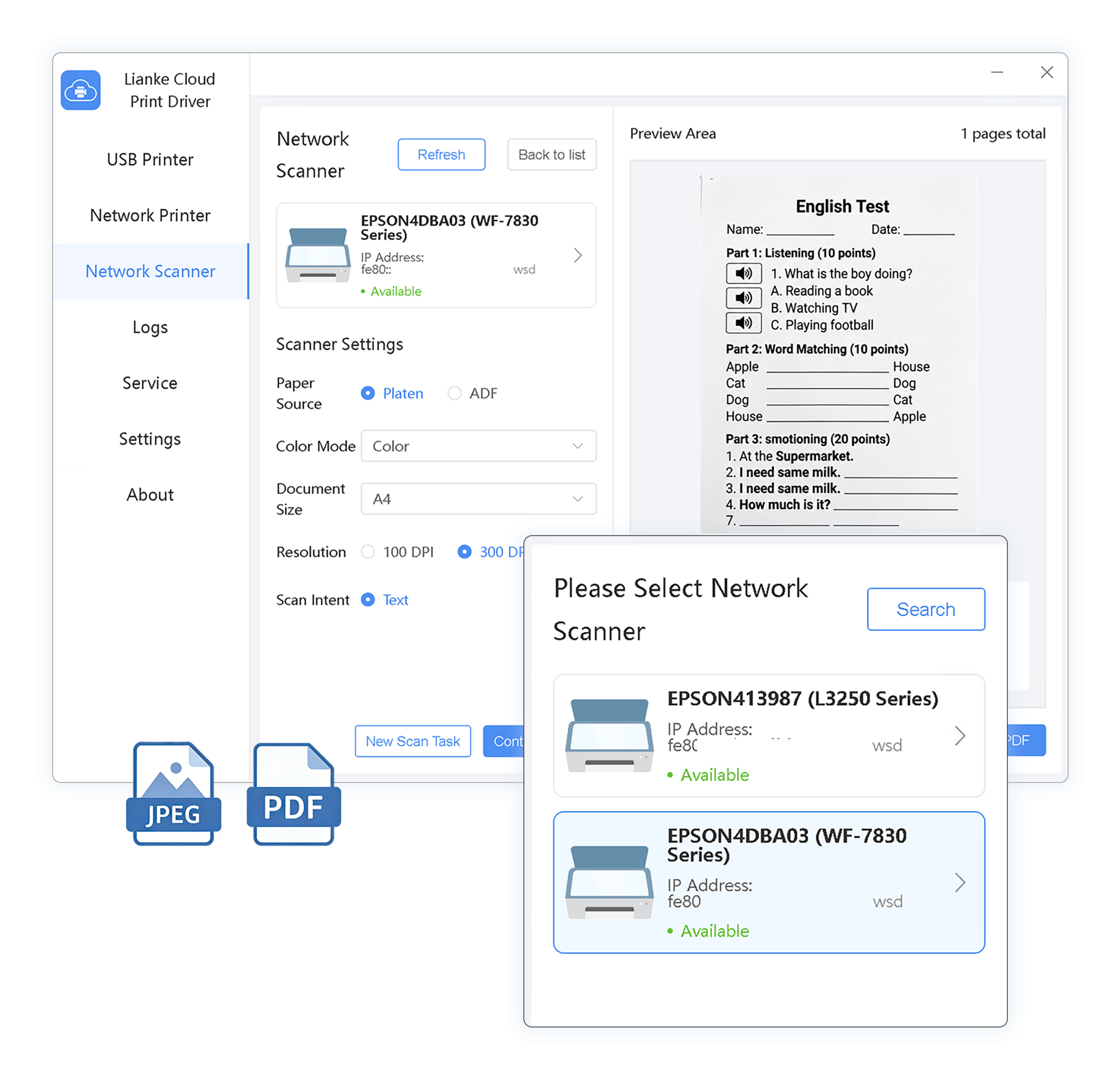
One-Click Network Scanning & Multi-Format Output
- Smart Scanner Discovery: Instantly detect and connect to multifunction printers and standalone network scanners.
- Flexible Output (PDF / Image): Save scans directly as standard PDF or high-resolution JPEG/PNG files for modern digital workflows.
Broad Brand & Model Compatibility
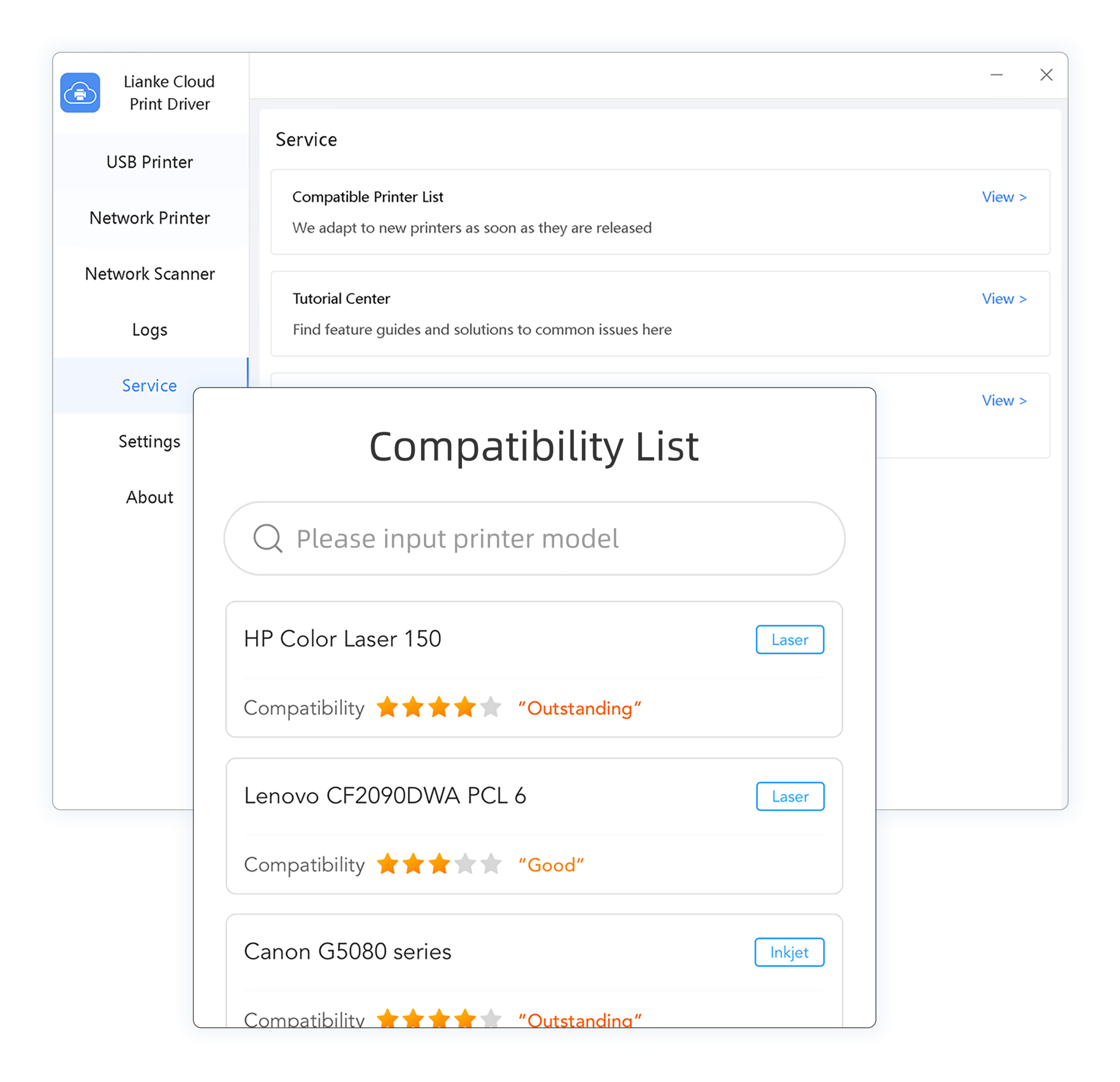
- Extensive Coverage: Supports laser, inkjet, dot matrix, and all-in-one printers from leading worldwide brands.
- Online Searchable Database: Easily look up your exact printer model in our real-time compatibility directory.
Native ARM Efficiency & High Reliability
- Lightweight Footprint: Runs seamlessly in the background with minimal memory usage.
- Spooler-Safe: Helps reduct offline freezes and queue blockages caused by incompatible legacy drivers.
Private Deployment for Enterprise Environments
Organizations can deploy the print server and database within their own network.
This keeps document processing and operational data inside the enterprise environment, making the solution suitable for contracts, financial reports, internal documents, and other sensitive information.
Private deployment provides:
- Local control of printing data
- Support for restricted network environments
- Centralized printer management
- Improved business continuity
- Greater control over hardware and software infrastructure
- If the issue persists, please send a screenshot of the error message along with a brief description to: support@xiiaozet.net
- Alternatively, you can contact us directly using the Chat Box on the right.
- Our technical support team typically responds within 12 hours.